When you're building AI applications, you'll quickly hit a wall with single-prompt workflows.
Complex tasks require multiple steps. Each step needs different expertise. Decisions require back-and-forth reasoning. Code needs debugging. Content needs revision.
A single LLM call can't handle this complexity well.
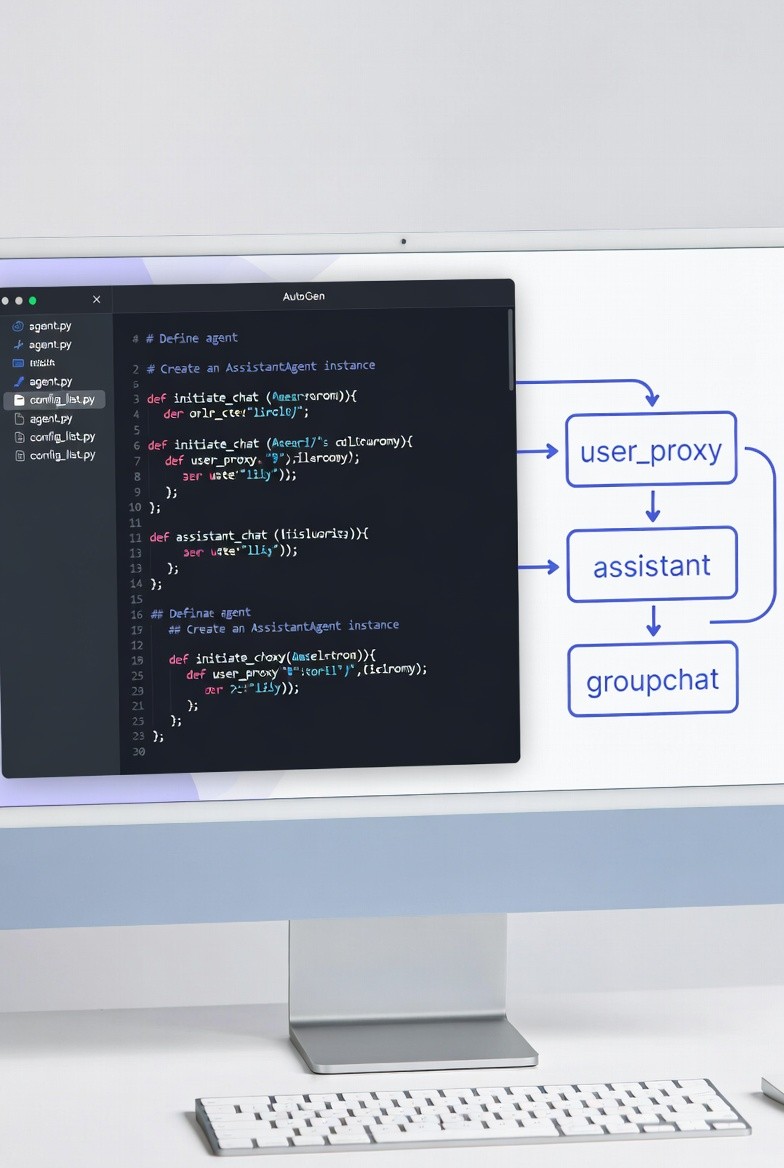
AutoGen, Microsoft's multi-agent framework, solves this by letting you create conversational agents that collaborate to accomplish tasks. Think of it as giving your AI application a team of specialists that talk to each other.
In production systems, AutoGen excels at tasks requiring iteration, verification, and multi-step reasoning. Let me show you how to build autonomous agents that actually work.
Why AutoGen Over Simple LLM Calls
Before diving into AutoGen, understand what problems it solves.
The Single-Prompt Problem
What you want:
"Build a Python script that processes CSV files, handles errors, and includes tests."
What you get with a single prompt:
python
import pandas as pd
def process_csv(file_path):
df = pd.read_csv(file_path)
return df
The problem: One prompt can't capture all requirements, edge cases, and quality standards.
The AutoGen Solution
python
from autogen import AssistantAgent, UserProxyAgent
coder = AssistantAgent(
name="Coder",
system_message="You write Python code. Focus on functionality."
)
reviewer = AssistantAgent(
name="Reviewer",
system_message="You review code for errors, edge cases, and best practices."
)
executor = UserProxyAgent(
name="Executor",
code_execution_config={"work_dir": "coding"}
)
The difference: Iterative refinement through conversation produces better results.
Core AutoGen Concepts
Understanding the building blocks.
1. Agents
Two main types:
AssistantAgent: Uses LLM, doesn't execute code
python

from autogen import AssistantAgent

agent = AssistantAgent(
    name="DataAnalyst",
    system_message="You are a data analyst who provides insights.",
    llm_config={"model": "gpt-4"}
)
UserProxyAgent: Can execute code, optionally uses LLM
python
from autogen import UserProxyAgent
proxy = UserProxyAgent(
name="Executor",
human_input_mode="NEVER",
code_execution_config={
"work_dir": "workspace",
"use_docker": False
}
)2. Conversations
Agents communicate through messages.
python
proxy.initiate_chat(
agent,
message="Analyze this dataset and find trends."
)
3. Termination
Define when conversation should stop.
python

def is_termination_msg(msg):
    """Check if conversation should end"""
    content = msg.get("content", "")
    return "TERMINATE" in content or "DONE" in content

proxy = UserProxyAgent(
    name="Executor",
    is_termination_msg=is_termination_msg,
    max_consecutive_auto_reply=10
)
Basic Pattern: Two-Agent Collaboration
Start with the simplest useful pattern.
Code Generation with Review
python
from autogen import AssistantAgent, UserProxyAgent
import os
os.environ["OPENAI_API_KEY"] = "your-api-key"
llm_config = {
"model": "gpt-4",
"temperature": 0.7
}
coder = AssistantAgent(
name="PythonDeveloper",
system_message="""You are an expert Python developer.
When given a task:
1. Write clean, well-documented code
2. Include error handling
3. Add type hints
4. Make it production-ready
When you finish, say TERMINATE.""",
llm_config=llm_config
)
executor = UserProxyAgent(
name="CodeExecutor",
human_input_mode="NEVER",
max_consecutive_auto_reply=10,
is_termination_msg=lambda x: x.get("content", "").find("TERMINATE") >= 0,
code_execution_config={
"work_dir": "generated_code",
"use_docker": False
}
)
task = """
Create a Python function that:
1. Reads a CSV file
2. Calculates summary statistics (mean, median, std)
3. Handles missing values
4. Returns results as a dictionary
Include error handling and tests.
"""
executor.initiate_chat(
coder,
message=task
)
```
**What happens:**
```
Executor → Coder: "Create a function to process CSV..."
Coder → Executor: "Here's the code:
```python
import pandas as pd
def process_csv(file_path):
df = pd.read_csv(file_path)
return {
'mean': df.mean(),
'median': df.median()
}
```
"
Executor: [Runs code]
Executor → Coder: "Error: file_path doesn't exist"
Coder → Executor: "Updated code with error handling:
```python
import pandas as pd
from pathlib import Path
def process_csv(file_path):
if not Path(file_path).exists():
raise FileNotFoundError(f"File not found: {file_path}")
...
```
"
Executor: [Runs code]
Executor → Coder: "Works! TERMINATE"Advanced Pattern: Group Chat
Multiple agents collaborating.
Research Paper Writing System
python
from autogen import AssistantAgent, UserProxyAgent, GroupChat, GroupChatManager
llm_config = {"model": "gpt-4"}
researcher = AssistantAgent(
name="Researcher",
system_message="""You are a research specialist.
Your job:
- Find relevant information on topics
- Cite sources
- Provide comprehensive summaries
Focus on accuracy and depth.""",
llm_config=llm_config
)
writer = AssistantAgent(
name="Writer",
system_message="""You are a technical writer.
Your job:
- Create clear, well-structured documents
- Use proper formatting
- Make complex topics accessible
- Maintain professional tone""",
llm_config=llm_config
)
editor = AssistantAgent(
name="Editor",
system_message="""You are a senior editor.
Your job:
- Review content for clarity
- Check logic and flow
- Identify gaps or errors
- Suggest improvements
Be constructive but critical.""",
llm_config=llm_config
)
fact_checker = AssistantAgent(
name="FactChecker",
system_message="""You are a fact-checker.
Your job:
- Verify claims and statistics
- Check for logical inconsistencies
- Flag unsupported assertions
- Request citations for claims""",
llm_config=llm_config
)
user = UserProxyAgent(
name="User",
human_input_mode="TERMINATE",
max_consecutive_auto_reply=0,
code_execution_config=False,
is_termination_msg=lambda x: "APPROVED" in x.get("content", "")
)
groupchat = GroupChat(
agents=[user, researcher, writer, editor, fact_checker],
messages=[],
max_round=20,
speaker_selection_method="round_robin"
)
manager = GroupChatManager(
groupchat=groupchat,
llm_config=llm_config
)
task = """
Write a 500-word article on "The Impact of AI on Data Engineering"
Requirements:
- Include current trends
- Cite specific examples
- Maintain technical accuracy
- Professional tone
"""
user.initiate_chat(
manager,
message=task
)
```
**Conversation flow:**
```
User → Manager: "Write article on AI in data engineering"
Manager → Researcher: "Research AI trends in data engineering"
Researcher: "Key trends: AutoML, MLOps automation, AI-assisted query optimization..."
Manager → Writer: "Draft article based on research"
Writer: "Draft: AI is transforming data engineering in three ways..."
Manager → FactChecker: "Verify claims in draft"
FactChecker: "Claim about 40% productivity gain needs citation"
Manager → Writer: "Revise with proper citations"
Writer: "Updated draft with sources..."
Manager → Editor: "Review final draft"
Editor: "Looks good. Structure is clear. APPROVED"Real-World Use Case: Data Analysis Assistant
Build an agent that analyzes datasets autonomously.
Complete Implementation
python
from autogen import AssistantAgent, UserProxyAgent
import pandas as pd
llm_config = {
"model": "gpt-4",
"temperature": 0
}
analyst = AssistantAgent(
name="DataAnalyst",
system_message="""You are an expert data analyst.
When analyzing data:
1. Load and inspect the dataset
2. Check for data quality issues
3. Calculate relevant statistics
4. Identify patterns and trends
5. Create visualizations
6. Provide actionable insights
Always write Python code to analyze data.
Use pandas, matplotlib, seaborn for analysis.
When analysis is complete, say TERMINATE.""",
llm_config=llm_config
)
executor = UserProxyAgent(
name="Executor",
human_input_mode="NEVER",
max_consecutive_auto_reply=15,
is_termination_msg=lambda x: "TERMINATE" in x.get("content", ""),
code_execution_config={
"work_dir": "analysis",
"use_docker": False
}
)
task = """
Analyze the file 'sales_data.csv' and provide:
1. Summary statistics
2. Sales trends over time
3. Top performing products
4. Customer segmentation insights
5. Recommendations for improvement
Create visualizations where appropriate.
"""
executor.initiate_chat(
analyst,
message=task
)What the analyst does:
python
"""
import pandas as pd
import matplotlib.pyplot as plt
df = pd.read_csv('sales_data.csv')
print(df.head())
print(df.info())
print(df.describe())
"""
"""
# Check for missing values
print(df.isnull().sum())
# Check for duplicates
print(f"Duplicates: {df.duplicated().sum()}")
"""
"""
# Sales over time
df['date'] = pd.to_datetime(df['date'])
daily_sales = df.groupby('date')['revenue'].sum()
plt.figure(figsize=(12, 6))
daily_sales.plot()
plt.title('Daily Sales Trend')
plt.xlabel('Date')
plt.ylabel('Revenue')
plt.savefig('sales_trend.png')
plt.close()
print("Saved sales_trend.png")
"""
"""
top_products = df.groupby('product')['revenue'].sum().sort_values(ascending=False).head(10)
print("Top 10 Products by Revenue:")
print(top_products)
"""
"""
# Segment by purchase frequency
customer_purchases = df.groupby('customer_id').agg({
'order_id': 'count',
'revenue': 'sum'
}).rename(columns={'order_id': 'purchase_count'})
# Define segments
def segment_customer(row):
if row['purchase_count'] > 10:
return 'High Frequency'
elif row['purchase_count'] > 5:
return 'Medium Frequency'
else:
return 'Low Frequency'
customer_purchases['segment'] = customer_purchases.apply(segment_customer, axis=1)
print(customer_purchases['segment'].value_counts())
"""
"""
# Analysis complete. Key findings:
# 1. Revenue trending upward (15% MoM growth)
# 2. Top 3 products account for 45% of revenue
# 3. 20% of customers are high-frequency buyers
#
# Recommendations:
# 1. Focus marketing on top products
# 2. Create loyalty program for high-frequency buyers
# 3. Investigate why 60% are low-frequency buyers
#
# TERMINATE
"""Advanced Features
1. Human-in-the-Loop
Let humans intervene when needed.
python
executor = UserProxyAgent(
name="Executor",
human_input_mode="TERMINATE",
max_consecutive_auto_reply=5
)
executor = UserProxyAgent(
name="Executor",
human_input_mode="ALWAYS"
)2. Function Calling
Agents can call specific functions.
python
def search_database(query: str) -> str:
"""Search database for information"""
return f"Results for: {query}"
def send_email(to: str, subject: str, body: str) -> str:
"""Send an email"""
return f"Email sent to {to}"
agent = AssistantAgent(
name="Assistant",
llm_config={
"model": "gpt-4",
"functions": [
{
"name": "search_database",
"description": "Search the database",
"parameters": {
"type": "object",
"properties": {
"query": {"type": "string"}
},
"required": ["query"]
}
},
{
"name": "send_email",
"description": "Send an email",
"parameters": {
"type": "object",
"properties": {
"to": {"type": "string"},
"subject": {"type": "string"},
"body": {"type": "string"}
},
"required": ["to", "subject", "body"]
}
}
]
}
)
executor = UserProxyAgent(
name="Executor",
function_map={
"search_database": search_database,
"send_email": send_email
}
)
executor.initiate_chat(
agent,
message="Search the database for customer orders and email the results to admin@company.com"
)3. Nested Chats
Agents can spawn sub-conversations.
python
main_agent = AssistantAgent(name="MainAgent", llm_config=llm_config)
research_agent = AssistantAgent(name="Researcher", llm_config=llm_config)
writing_agent = AssistantAgent(name="Writer", llm_config=llm_config)
def nested_workflow(task):
"""Complex workflow with nested conversations"""
research_proxy = UserProxyAgent(name="ResearchProxy")
research_result = research_proxy.initiate_chat(
research_agent,
message=f"Research: {task}"
)
writing_proxy = UserProxyAgent(name="WritingProxy")
writing_result = writing_proxy.initiate_chat(
writing_agent,
message=f"Write based on: {research_result}"
)
return writing_result
4. State Management
Track conversation state across messages.
python
from autogen import ConversableAgent
class StatefulAgent(ConversableAgent):
def __init__(self, *args, **kwargs):
super().__init__(*args, **kwargs)
self.state = {
"tasks_completed": [],
"current_step": 0,
"data": {}
}
def update_state(self, key, value):
"""Update agent state"""
self.state[key] = value
def get_state(self, key):
"""Get state value"""
return self.state.get(key)
agent = StatefulAgent(
name="StatefulAgent",
llm_config=llm_config
)
Production Patterns
Patterns you'll use in real systems.
Pattern 1: Retry with Escalation
python
def create_retry_workflow():
"""Agent tries task, escalates if fails"""
junior = AssistantAgent(
name="Junior",
system_message="You are a junior developer. Try to solve problems, but ask for help if stuck.",
llm_config=llm_config
)
senior = AssistantAgent(
name="Senior",
system_message="You are a senior developer. Provide guidance when junior developers are stuck.",
llm_config=llm_config
)
executor = UserProxyAgent(
name="Executor",
max_consecutive_auto_reply=3
)
result = executor.initiate_chat(junior, message=task)
if "ERROR" in result or "STUCK" in result:
result = executor.initiate_chat(
senior,
message=f"Junior developer stuck on: {task}\n\nAttempt: {result}"
)
return resultPattern 2: Consensus Building
python
def multi_agent_consensus(task, agents):
"""Get consensus from multiple agents"""
responses = []
executor = UserProxyAgent(name="Executor")
for agent in agents:
result = executor.initiate_chat(agent, message=task)
responses.append(result)
synthesizer = AssistantAgent(
name="Synthesizer",
system_message="Synthesize multiple viewpoints into one coherent answer."
)
synthesis_task = f"""
Multiple agents provided these responses:
{responses}
Provide a synthesized answer incorporating the best ideas.
"""
final_result = executor.initiate_chat(synthesizer, message=synthesis_task)
return final_resultPattern 3: Pipeline with Validation
python
def validated_pipeline(task):
"""Multi-step pipeline with validation at each stage"""
generator = AssistantAgent(name="Generator", llm_config=llm_config)
validator = AssistantAgent(name="Validator", llm_config=llm_config)
executor = UserProxyAgent(name="Executor")
output = executor.initiate_chat(generator, message=task)
validation_task = f"Validate this output: {output}\n\nIs it correct? If not, what's wrong?"
validation = executor.initiate_chat(validator, message=validation_task)
max_iterations = 3
for i in range(max_iterations):
if "VALID" in validation:
break
regenerate_task = f"Improve based on feedback: {validation}"
output = executor.initiate_chat(generator, message=regenerate_task)
validation = executor.initiate_chat(validator, message=f"Validate: {output}")
return outputPerformance and Cost Optimization
AutoGen can get expensive quickly.
1. Limit Conversation Rounds
python
executor = UserProxyAgent(
name="Executor",
max_consecutive_auto_reply=5,
max_turns=10
)2. Use Cheaper Models for Simple Tasks
python
llm_config = {"model": "gpt-4"}
simple_agent = AssistantAgent(
name="SimpleAgent",
llm_config={"model": "gpt-3.5-turbo"}
)
complex_agent = AssistantAgent(
name="ComplexAgent",
llm_config={"model": "gpt-4"}
)3. Cache Responses
python
from functools import lru_cache
@lru_cache(maxsize=100)
def cached_agent_call(message: str):
"""Cache repeated queries"""
result = executor.initiate_chat(agent, message=message)
return result
result1 = cached_agent_call("What is Python?")
result2 = cached_agent_call("What is Python?") 4. Monitor Token Usage
python
import tiktoken
def count_tokens(text, model="gpt-4"):
"""Count tokens in text"""
encoding = tiktoken.encoding_for_model(model)
return len(encoding.encode(text))
total_tokens = 0
def track_conversation(messages):
global total_tokens
for msg in messages:
total_tokens += count_tokens(msg["content"])
estimated_cost = total_tokens / 1000 * 0.03
print(f"Tokens used: {total_tokens}, Estimated cost: ${estimated_cost:.2f}")Common Pitfalls
Pitfall #1: Infinite Loops
❌ Problem:
python
agent1 = AssistantAgent(name="Agent1", llm_config=llm_config)
agent2 = AssistantAgent(name="Agent2", llm_config=llm_config)
agent1.initiate_chat(agent2, message="Discuss AI ethics")
✅ Solution:
python
executor = UserProxyAgent(
name="Executor",
max_consecutive_auto_reply=10,
is_termination_msg=lambda x: "TERMINATE" in x.get("content", "")
)Pitfall #2: Vague System Messages
❌ Problem:
python
agent = AssistantAgent(
name="Agent",
system_message="You are helpful."
)✅ Solution:
python

agent = AssistantAgent(
    name="Agent",
    system_message="""You are a Python developer.

    Your specific responsibilities:
    1. Write clean, documented code
    2. Include error handling
    3. Add type hints
    4. Write unit tests

    When you complete a task, say TERMINATE."""
)
Pitfall #3: Not Handling Code Execution Errors
❌ Problem:
python
executor = UserProxyAgent(
name="Executor",
code_execution_config={"work_dir": "code"}
)
✅ Solution:
python
executor = UserProxyAgent(
name="Executor",
code_execution_config={
"work_dir": "code",
"use_docker": True,
"timeout": 60,
"last_n_messages": 3
}
)Pitfall #4: Cost Explosion
❌ Problem:
python
groupchat = GroupChat(
agents=[agent1, agent2, agent3, ..., agent10],
max_round=100
)✅ Solution:
python
groupchat = GroupChat(
agents=[agent1, agent2, agent3],
max_round=10
)
expensive_agent = AssistantAgent(llm_config={"model": "gpt-4"})
cheap_agent = AssistantAgent(llm_config={"model": "gpt-3.5-turbo"})When to Use AutoGen
Good use cases:
✅ Code generation with debugging
✅ Research and analysis tasks
✅ Content creation with review cycles
✅ Multi-step reasoning problems
✅ Tasks requiring iteration
Not ideal for:
❌ Simple, single-step tasks (just use one LLM call)
❌ Real-time applications (conversations take time)
❌ Cost-sensitive applications (can get expensive)
❌ Deterministic workflows (use CrewAI or LangGraph)
Conclusion
AutoGen excels at building AI applications that require iterative refinement and multi-perspective collaboration.
Key principles:
Clear agent roles - Specific responsibilities
Termination conditions - Prevent infinite loops
Cost management - Monitor token usage
Error handling - Graceful failures
Human oversight - For critical decisions
When you need:
Iteration and refinement
Multiple perspectives
Code generation with testing
Research and synthesis
Flexible conversation flow
AutoGen is the right choice.
Example implementation:
I've built multi-agent systems using AutoGen for automated code review and data analysis. Check out my projects:
GitHub: github.com/Shodexco
Questions? Let's connect:
Portfolio: jonathansodeke.framer.website
GitHub: github.com/Shodexco
LinkedIn: www.linkedin.com/in/jonathan-sodeke
Now go build autonomous agents. Let them do the iterative work.
About the Author
Jonathan Sodeke is a Data Engineer and ML Engineer who builds production AI systems with multi-agent frameworks. He specializes in AutoGen, CrewAI, and LangGraph for creating autonomous AI workflows.
When he's not debugging agent conversations at 2am, he's building AI systems and teaching others to orchestrate multiple AI agents effectively.
Portfolio: jonathansodeke.framer.website
GitHub: github.com/Shodexco
LinkedIn: www.linkedin.com/in/jonathan-sodeke