5 Things I Wish I Knew Before Building My First MLOps Pipeline
May 5, 2024

5 Things I Wish I Knew Before Building My First MLOps Pipeline
My fraud detection model worked flawlessly in my Jupyter notebook. 95% accuracy. Beautiful confusion matrix. The kind of results that make you think, "I'm basically a machine learning genius."
Then I tried to Dockerize it.
Everything went to hell.
If you've ever built a machine learning model, you know that getting it to work in a notebook is the easy part. The hard part? Getting it to work everywhere else. In production. On someone else's machine. At 3am when you're not there to babysit it.
This is the story of building FraudShield AI, my production fraud detection system, and the five brutal lessons I learned along the way. These aren't the polished takeaways you see in Medium posts written by people who definitely didn't build the thing themselves. These are the messy, unglamorous truths about MLOps that I wish someone had told me before I started.
If you're about to build your first MLOps pipeline, buckle up. Here's what actually matters.
#1: Training Accuracy is a Beautiful Lie
Let me be blunt: your 95% accuracy is basically astrology.
I know, I know. You spent weeks tuning hyperparameters. You did cross-validation. You have a confusion matrix that looks like art. But here's the thing—your training accuracy is measured against the most optimistic version of reality possible.
Your test set is:
Perfectly clean (no typos, no weird edge cases)
From the same distribution as your training data (obviously)
Small enough that you never see the truly bizarre inputs
Static (it never changes)
Real production data is none of these things.
What actually happens in production:
Your model meets data it's never seen before. Users fat-finger inputs. Systems upstream change their output format without telling you. Three months pass and user behavior shifts. Suddenly your beautiful 95% accuracy becomes 87%, then 82%, then you're getting angry Slack messages.
Here's what I learned: the metrics that matter in production aren't the ones you see in your notebook.
What to track instead:
Latency: Is your model actually fast enough for users to tolerate?
Error rate: How often does it completely fail?
Prediction distribution: Are you suddenly predicting "fraud" 10x more than usual? (Congrats, something broke)
Real-world accuracy: If you can measure it, measure it. User feedback, manual reviews, whatever you've got.
The brutal truth is that 95% notebook accuracy → 87% production accuracy is completely normal. Your model is meeting reality for the first time, and reality is messier than your test set.
Here's what basic production monitoring looks like:
python
This isn't sexy code. But it's the code that tells you when your model is dying a slow death in production.
The lesson: Build for reality, not for Kaggle. Your notebook accuracy is a starting point, not a promise. Monitor everything, assume nothing, and accept that production will humble you.
#2: You Will Forget How Your Model Works
Three months after deploying your model, someone will ask you: "Hey, which version is running in production right now?"
And you'll have no idea.
I promise you this will happen. You'll be confident at first. "Oh, I know exactly what's deployed." Then you'll check, and you'll realize you have three different model files, five training scripts, and absolutely no idea which combination is currently serving traffic.
This is the "oh shit" moment that makes you understand why version control isn't just for code.
What you need to version:
Model weights - The actual .pkl or .h5 files. Not just the latest one. All of them.
Training data - Which dataset did you use? What dates? What filters?
Hyperparameters - Learning rate, number of epochs, batch size, regularization...
Dependencies - scikit-learn 1.0 and scikit-learn 1.3 are not the same
Training code - The script that generated the model
Evaluation metrics - So you can compare apples to apples
If you're not versioning all of this, you're going to have a bad time.
Enter MLflow, the thing that saves your sanity:
MLflow is an open-source platform that tracks every experiment you run. Think of it as Git, but for machine learning experiments.
python
Now when your boss asks "which model is in production," you can pull up the MLflow UI and actually show them instead of nervously sweating.
Why this matters:
Without versioning, you can't:
Reproduce your results
Debug production issues
Compare model versions objectively
Roll back when the new model sucks
Sleep peacefully at night
The lesson: Your future self will thank you for logging everything. Document obsessively or suffer later. MLflow is free, setup takes 30 minutes, and it will save you hours of "wait, what did I do?" panic.
#3: Manual Retraining is Emotional Damage
Here's how retraining your model manually goes:
Week 1: "This is fine. I'll just retrain every Monday morning."
Week 3: "Okay I forgot last Monday but I'll definitely do it this week."
Week 6: "Why is the model performing terribly? Oh right, I haven't retrained in a month."
Week 8: Existential dread
Manual retraining doesn't scale. It doesn't work when you're on vacation. It doesn't work when you're busy. It doesn't work when you forget. And you will forget.
This is why orchestration tools exist. They're your robot assistant that does boring tasks while you do literally anything else.
Enter Airflow: Your New Best Friend
Apache Airflow is a workflow orchestration tool. Think of it as a fancy scheduler that can handle dependencies, retry failures, and send you passive-aggressive emails when things break.
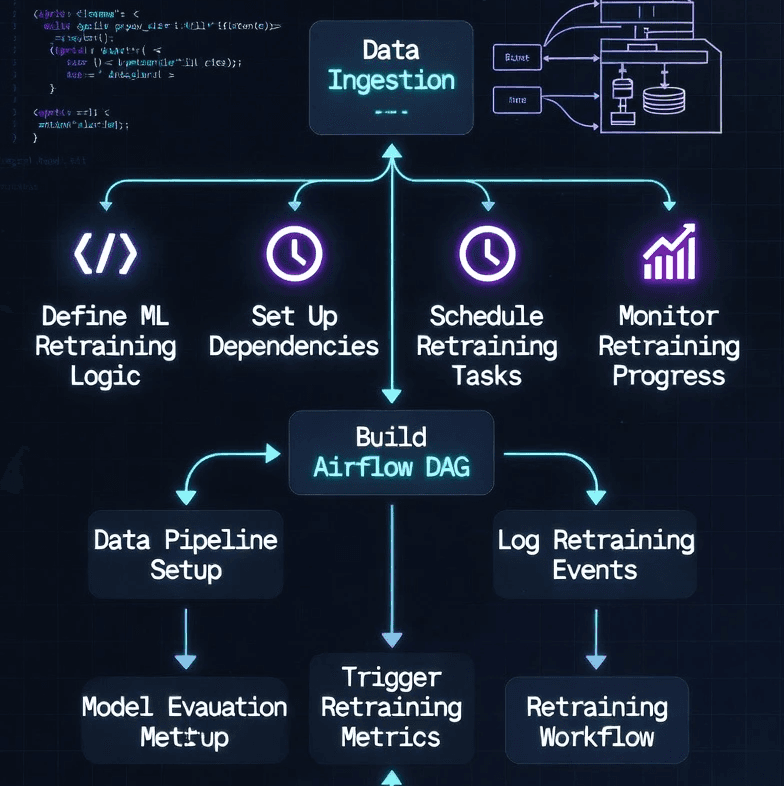
Here's what my Airflow DAG does while I sleep:
Check Performance - Is the model getting worse? (Compare recent accuracy to baseline)
Prepare Data - Pull fresh training data from the database
Train Model - Train a new model with updated data
Validate - Test the new model. Is it better than what's in production?
Deploy & Notify - If yes, swap models. Either way, email me the results.
Here's what a simple Airflow DAG looks like:
What this gives you:
✅ Automated retraining - Runs every week without you lifting a finger
✅ Dependency management - Tasks run in order, data flows between them
✅ Failure recovery - If something breaks, it retries automatically
✅ Monitoring - Beautiful UI shows you what's running, what failed, what succeeded
✅ Alerting - Emails you when things break (or succeed)
The honest take: Setting up Airflow took me about 2 days. Debugging the DAG took another day. But now it saves me 2 hours every single week, and I never have to remember to retrain manually.
The lesson: Automate the boring stuff. Your brain is for solving problems, not for remembering to run scripts every Monday. Let Airflow be your robot assistant.
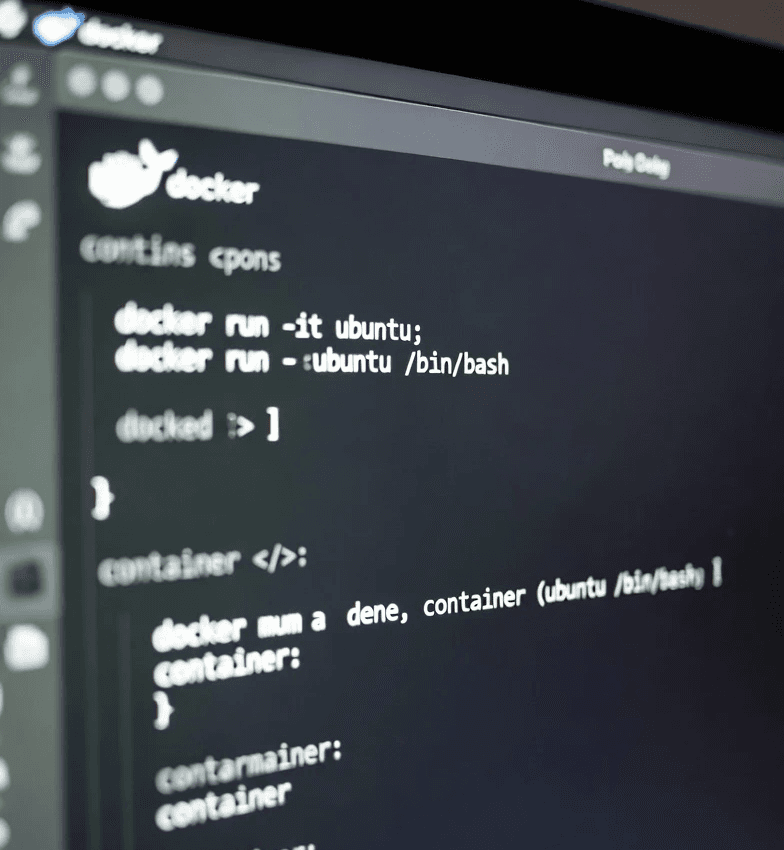
#4: Docker Will Ruin Your Week (Then Save Your Career)
Let me tell you about my relationship with Docker.
Day 1: "This is amazing! Everything works!"
Day 2: "Why doesn't it work anymore?"
Day 3: "I hate Docker. I hate computers. I hate everything."
Day 7: "Okay it works now. Docker is actually amazing."
Docker is one of those technologies that makes you want to throw your laptop out the window... until suddenly everything clicks and you realize it's actually magical.
My Docker nightmare:
Everything worked fine locally. My fraud detection API ran perfectly. Then I tried to Dockerize it, and:
The API couldn't connect to the database (network issues)
Environment variables weren't loading (they were, I was just checking wrong)
The model file path was broken (volume mounts are confusing)
The container was 4GB for some reason (inefficient Dockerfile)
Port 8000 was "already in use" (phantom container haunting me)
I spent 5+ hours debugging. Here's what I learned the hard way:
Docker Debugging Survival Guide:
Here's a production-ready Dockerfile for an ML API:
Key things this Dockerfile does right:
Multi-stage build - Smaller final image (200MB vs 1GB+)
Virtual environment - Isolated dependencies
Non-root user - Security best practice
Health check - Docker can tell if app is actually working
No cache - Faster builds, smaller images
Docker Compose for the full stack:
Why Docker is worth the pain:
Once you get it working:
✅ "Works on my machine" is solved - If it works in Docker, it works everywhere
✅ No more dependency hell - Everything is isolated
✅ Easy deployment - Push image, run container, done
✅ Scalability - Need 5 API instances? Easy.
✅ Reproducibility - Same environment every time
The lesson: Docker will hurt you before it helps you. That's normal. Stick with it. Debug methodically. Once it clicks, you'll never want to deploy without it again.
Thing #5: Monitoring or You're Flying Blind
Here's a fun scenario: Your model starts failing. Slowly. Silently.
Users notice first. They complain. By the time you investigate, it's been broken for days.
This is what happens when you don't monitor.
What you need to track in production:
Prediction latency - How long does each prediction take?
Error rate - How often does the API completely fail?
Prediction distribution - Are predictions suddenly very different than usual?
Model accuracy - Is the model getting dumber over time? (if you can measure this)
System health - CPU, memory, disk space
My monitoring stack: Prometheus + Grafana
Prometheus collects metrics from your application.
Grafana turns those metrics into beautiful dashboards.
Both are free, open-source, and battle-tested by companies much bigger than yours.
Adding Prometheus metrics to a FastAPI app:
What your Grafana dashboard should show:
Panel 1: Predictions Per Minute
Line graph showing request volume
Helps you see traffic patterns
Spikes might indicate issues or attacks
Panel 2: P95 Latency
95th percentile response time
If this spikes, users are having a bad time
Panel 3: Error Rate
Percentage of failed predictions
Should be near 0%, always
Panel 4: Prediction Distribution
Fraud vs non-fraud ratio over time
Sudden changes = something is wrong
Panel 5: Model Accuracy (if measurable)
Track accuracy over time
Catch degradation early
Panel 6: System Resources
CPU, memory, disk usage
Prevents surprise outages
Prometheus configuration (prometheus.yml):
The brutal truth: You can't fix what you can't see.
Without monitoring:
You find out about issues from angry users
You have no idea when things started breaking
You can't prove your model works
You can't debug production issues
You look unprofessional
With monitoring:
You see issues before users do
You have data to debug with
You can confidently say "yes, the model works"
You catch degradation early
You sleep better at night
The lesson: Set up monitoring on day one, not after things break. Prometheus and Grafana take maybe 2 hours to set up. That investment will save you countless hours of "what the hell is happening?" panic.
Bonus: Nobody's First MLOps Pipeline is Good
Let me tell you a secret: your first MLOps pipeline will suck.
Mine did. Everyone's does. That's completely fine.
The evolution of my fraud detection system:
V1: The "It Works!" Stage
One Python script
Trained model manually
Saved as .pkl file
Ran locally
No monitoring, no versioning, no orchestration
But it worked!
V2: The "Let's Add Some Logging" Stage
Added print statements everywhere
Could finally debug issues
Still running locally
Still manual retraining
V3: The "Docker Nightmare" Stage
Dockerized everything
Spent a week debugging
Finally got it working
Felt like a genius
V4: The "Automation Era" Stage
Added Airflow
Automated retraining
Never touched it manually again
Started feeling professional
V5: The "Full MLOps" Stage
Added Prometheus monitoring
Added Grafana dashboards
Added MLflow tracking
7 microservices in Docker Compose
Fully automated, fully monitored
Actually production-ready
Total time from V1 to V5: About 3 months
The point: You don't build V5 on day one. You start with V1 (a script that works) and add complexity as you feel the pain.
My advice for beginners:
Start with working, not perfect - Get something deployed first
Add monitoring next - You'll want this immediately
Automate when manual becomes painful - Usually week 2-3
Containerize when ready - Don't fight Docker until you have to
Document everything - Future you will be grateful
Don't over-engineer V1. You don't need Kubernetes. You don't need distributed training. You don't need 47 microservices. You need a model that works in production.
Add complexity when the pain of not having it becomes unbearable.
The lesson: MLOps is iterative, just like everything in software. Ship fast, learn fast, iterate fast. Your V1 will be embarrassing. That's how you know you're learning.
Conclusion
So there you have it. Five things I wish I knew before building my first MLOps pipeline:
Training accuracy is a beautiful lie - Your 95% will become 87% in production. Plan for it.
You will forget how your model works - Version everything with MLflow or suffer amnesia.
Manual retraining is emotional damage - Automate with Airflow or hate your life.
Docker will hurt you (then save you) - It's painful until it's magical. Stick with it.
Monitor or be embarrassed - Prometheus + Grafana. Set it up day one.
My FraudShield AI fraud detection system now runs at 95%+ accuracy with <120ms latency, fully automated retraining, comprehensive monitoring, and zero manual intervention. But it took 3 months of iteration, countless bugs, and one very frustrating week with Docker to get there.
The unglamorous truth about MLOps: it's messy, it's iterative, and your first version will be embarrassing. But that's fine. Ship it anyway. Learn by breaking things. Add complexity as pain demands it.
MLOps isn't about perfection. It's about building systems that work in the real world, survive contact with actual users, and don't require you to babysit them at 3am.
Want to see the full system in action?
Check out my deep-dive article on building the complete fraud detection platform: [Coming soon - link to your project article]
Ready to build your own MLOps pipeline?
Portfolio: jonathansodeke.framer.website
GitHub: github.com/Shodexco
LinkedIn: Connect with me
I'm still learning, still breaking things, and still improving the system. That's the fun part.
About the Author
Jonathan Sodeke is a Data Engineer and ML Engineer who has broken enough ML pipelines to write about it with authority. He specializes in MLOps, geospatial data processing, and containerized deployments. Currently building production AI systems and occasionally fighting with Docker at 2am.
When he's not debugging containers, he's building multi-agent AI systems, teaching prompt engineering, and helping others navigate the messy reality of production machine learning.
Portfolio: jonathansodeke.framer.website
GitHub: github.com/Shodexco
LinkedIn: www.linkedin.com/in/jonathan-sodeke