Understanding Coordinate Systems in Geospatial Analysis
Aug 3, 2024

I spent three hours debugging why my geospatial clustering wasn't working.
The distances were completely wrong. A cluster in Manhattan was somehow "closer" to Brooklyn than to itself. Points that should be 500 meters apart were calculating as 5 kilometers.
Then I realized: I was calculating distances in degrees, not meters.
One line of code to transform the coordinate system, and everything worked perfectly.
This is the most common mistake in geospatial analysis, and it'll bite you if you don't understand coordinate systems. The difference between WGS84 and EPSG:3857 isn't academic trivia—it's the difference between your analysis working or producing garbage.
If you're working with location data (and if you're reading this, you probably are), you need to understand this. Let me save you the three hours I wasted and explain coordinate systems in a way that actually makes sense.
No math PhD required. Just practical knowledge for working with real geospatial data.
Why Coordinate Systems Matter
Here's the fundamental problem: The Earth is round. Your screen is flat.
Every time you work with geospatial data, you're dealing with this tension between reality (a sphere) and representation (a flat map).
The consequences of getting this wrong:
❌ Distance calculations are wildly inaccurate
"This location is 10 kilometers away" → Actually it's 2 kilometers
Your proximity analysis is useless
❌ Areas are completely wrong
"This property is 5000 square meters" → Actually it's 3000
Your real estate analysis is garbage
❌ Clustering doesn't work
Points that should cluster together don't
DBSCAN, K-means, any spatial algorithm fails
Your hotspot detection is meaningless
❌ Visualization looks broken
Shapes are distorted
Distances don't match visual representation
Maps look weird and unprofessional
All because you used the wrong coordinate system.
The Two Types of Coordinate Systems
There are two fundamentally different ways to represent locations on Earth.
1. Geographic Coordinate Systems (Latitude/Longitude)
This is what you're used to: degrees of latitude and longitude.
Example: New York City is at (40.7128° N, -74.0060° W)
How it works:
Latitude: Distance north/south of the equator (0° to 90° or -90°)
Longitude: Distance east/west of the Prime Meridian (0° to 180° or -180°)
Units: Degrees (not meters, not feet)
The problem: Degrees are not constant distances.
1° of longitude at the equator ≈ 111 km 1° of longitude at New York (40°N) ≈ 85 km
1° of longitude at the North Pole ≈ 0 km
Translation: You can't do accurate distance calculations in degrees. Period.
Most common: WGS84 (EPSG:4326)
Used by GPS
What you get from Google Maps API
Standard for storing location data
Great for storage, terrible for calculations
2. Projected Coordinate Systems (X/Y in Meters)
This converts the round Earth to a flat map with coordinates in meters (or feet).
Example: Same NYC location in Web Mercator is (-8238310.94, 4970270.41) meters
How it works:
Take the sphere (Earth)
Project it onto a flat surface (like peeling an orange and laying it flat)
Coordinates are now in meters from a reference point
Units: Meters (or feet)
The advantage: You can now do math.
python
Most common: Web Mercator (EPSG:3857)
Used by Google Maps, OpenStreetMap, Mapbox
Optimized for web mapping
Units are meters
Great for calculations, distorts areas near poles
WGS84 vs Web Mercator: The Most Important Comparison
These are the two you'll use 95% of the time.
WGS84 (EPSG:4326) - Geographic
What it is: Latitude and longitude in degrees
When to use:
✅ Storing location data in databases
✅ GPS coordinates
✅ API responses (Google Maps, etc.)
✅ Displaying points on a map
✅ Global datasets
When NOT to use:
❌ Distance calculations
❌ Area calculations
❌ Spatial clustering (DBSCAN, K-means)
❌ Buffer operations ("find everything within 500m")
❌ Any math-based spatial operations
Example data:
python
Web Mercator (EPSG:3857) - Projected
What it is: X/Y coordinates in meters from the equator and Prime Meridian
When to use:
✅ Distance calculations
✅ Area measurements
✅ Spatial clustering
✅ Buffer operations
✅ Proximity analysis
✅ Any math on coordinates
When NOT to use:
❌ Storing data (use WGS84 instead)
❌ Global analysis (distorts near poles)
❌ Accurate area at high latitudes
Example data:
python
The difference in distance calculation:
python
The Critical Workflow: Transform Before You Calculate
Here's the pattern you'll use constantly:
Step 1: Data arrives in WGS84 (lat/lon) Step 2: Transform to projected CRS (EPSG:3857 or local) Step 3: Do your calculations (distance, clustering, buffers) Step 4: Transform back to WGS84 for storage/display (if needed)
In Python with GeoPandas:
python
This is the pattern. Memorize it. Use it every time.
My Airbnb Project: A Real Example
Let me show you how I used this in my Airbnb Price Hotspot Analyzer.
The problem:
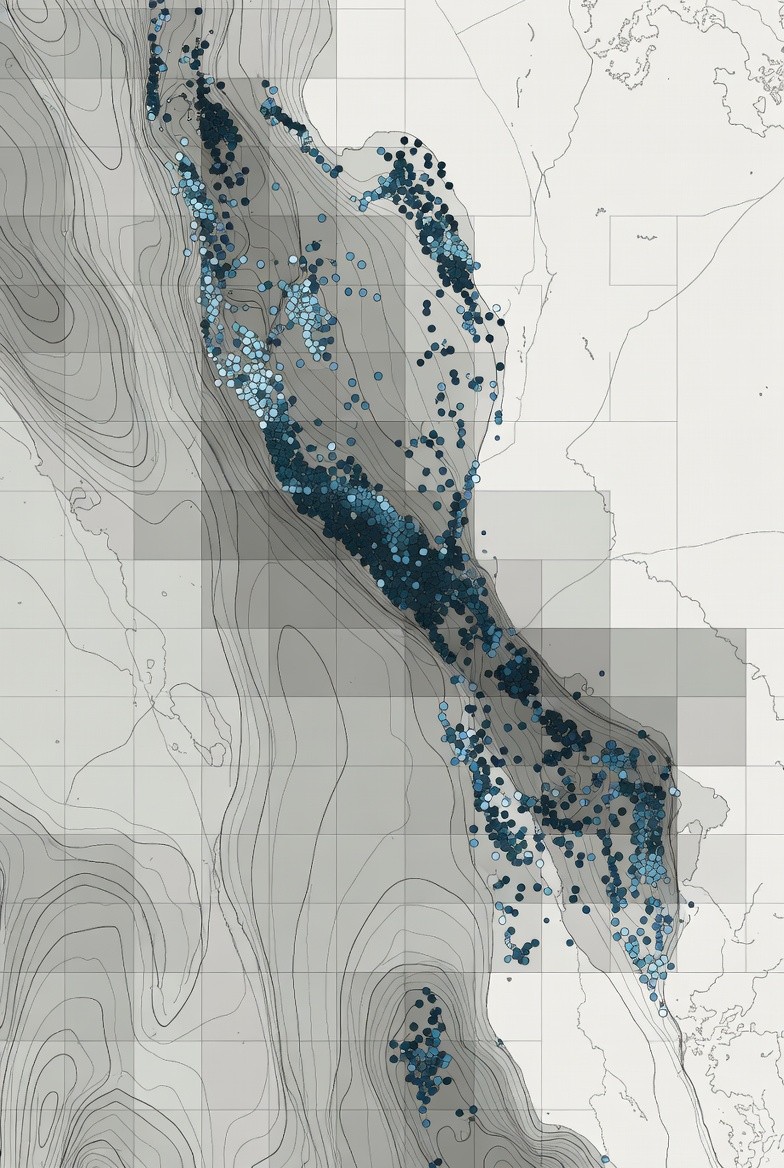
48,000 NYC Airbnb listings with lat/lon coordinates
Need to cluster them to find price hotspots
Need to calculate distances to landmarks
DBSCAN requires distance in meters (not degrees!)
Step 1: Load data in WGS84
python
Step 2: Transform to EPSG:3857 for calculations
python
Step 3: Spatial clustering with DBSCAN
python
Without transforming to EPSG:3857, this would fail:
eps=300would mean 300 degrees (nonsense)Clusters would be wildly wrong
Results would be garbage
Step 4: Calculate distance to landmarks
python
Results:
Accurate distance calculations
Meaningful clusters
Proximity analysis that actually works
All because I transformed to the right coordinate system first.
Other Important Coordinate Systems
Beyond WGS84 and Web Mercator, here are a few you might encounter:
NAD83 / State Plane (US-specific)
What: Projected CRS optimized for specific US states
Example: EPSG:2263 (New York State Plane, Long Island)
When to use:
✅ High-accuracy measurements in a specific state
✅ Surveying and engineering projects
✅ Local government GIS data
Why: More accurate than Web Mercator for a specific region
python
UTM (Universal Transverse Mercator)
What: Divides world into 60 zones, each with its own projection
Example: EPSG:32618 (UTM Zone 18N - covers NYC)
When to use:
✅ Scientific applications
✅ High-accuracy local measurements
✅ Military and aviation
Why: Very accurate within a specific zone
python
Local Custom Projections
Some regions have their own coordinate systems optimized for local accuracy.
Examples:
British National Grid (EPSG:27700)
Irish Grid (EPSG:29903)
Swiss Grid (EPSG:21781)
When to use: Working with official government data from that country
How to Choose the Right Coordinate System
Decision tree for choosing a CRS:
Question 1: Are you doing calculations?
NO → Use WGS84 (EPSG:4326)
Just displaying points on a map
Storing in database
Sending to an API
YES → Continue to Question 2
Question 2: What's your geographic scope?
Global or multi-continent → Web Mercator (EPSG:3857)
Works everywhere (except poles)
Standard for web mapping
Good enough for most use cases
Single country → Local projection
US: State Plane or UTM
UK: British National Grid
More accurate for local analysis
Single city → UTM or local projection
Find the UTM zone for that city
Or use local government's preferred CRS
Question 3: What's your accuracy requirement?
Rough/approximate → Web Mercator (EPSG:3857)
Good enough for most business applications
Error is usually <1% for mid-latitudes
High accuracy → Local projection
Surveying
Engineering
Legal boundaries
Use State Plane, UTM, or local grid
Common Coordinate System Mistakes
Let me save you from these painful errors:
Mistake #1: Calculating Distance in WGS84
❌ WRONG:
python
✅ CORRECT:
python
Mistake #2: Mixing Coordinate Systems
❌ WRONG:
python
✅ CORRECT:
python
Mistake #3: Not Setting CRS When Creating GeoDataFrame
❌ WRONG:
python
✅ CORRECT:
python
Mistake #4: Using Web Mercator for Global Area Calculations
❌ WRONG:
python
✅ CORRECT:
python
Practical Tips for Working with Coordinate Systems
Tip #1: Always Check Your CRS
python
Tip #2: Keep Original WGS84 Data
python
Tip #3: Use .to_crs() Liberally
python
Tip #4: Understand Your Data's Native CRS
python
When Coordinate Systems Really Matter
Let me show you scenarios where getting this wrong is catastrophic:
Scenario 1: Real Estate Price Analysis
python
Impact of getting it wrong: Mislabeled properties, bad investment decisions, unhappy clients
Scenario 2: Emergency Response Planning
python
Impact of getting it wrong: Wrong hospitals dispatched, delayed response, lives at risk
Scenario 3: Fraud Detection
python
Impact of getting it wrong: Missed fraud, financial losses, compromised accounts
Quick Reference: Common EPSG Codes
Global:
EPSG:4326- WGS84 (lat/lon in degrees) - GPS standardEPSG:3857- Web Mercator (meters) - Google Maps, OpenStreetMap
United States:
EPSG:4269- NAD83 (lat/lon)EPSG:2163- US National Atlas Equal AreaEPSG:2263- New York State Plane (Long Island)EPSG:32618- UTM Zone 18N (NYC area)
Europe:
EPSG:27700- British National GridEPSG:29903- Irish GridEPSG:25832- ETRS89 / UTM Zone 32N (Central Europe)
Equal-Area (for area calculations):
ESRI:54009- MollweideESRI:54034- World Cylindrical Equal Area
Find more at: https://epsg.io/
Conclusion
Coordinate systems aren't optional knowledge. They're fundamental to geospatial analysis.
The key principles:
WGS84 (EPSG:4326) for storage and display
Lat/lon in degrees
GPS standard
Don't do math in it
Projected CRS (EPSG:3857 or local) for calculations
X/Y in meters
Transform before calculating
Web Mercator works for most cases
Always transform before spatial operations
Distance, area, clustering, buffers
Check your CRS:
gdf.crsUse
.to_crs()liberally
Match CRS when combining datasets
Don't mix WGS84 and Web Mercator
Transform to same CRS first
GeoPandas will warn you (sometimes)
The workflow:
python
Remember: Degrees are for storing. Meters are for calculating.
Get this right, and your geospatial analysis will actually work. Get it wrong, and you'll waste hours debugging nonsense results.
Want to see this in action?
Check out my Airbnb Price Hotspot Analyzer project where I use these exact techniques to analyze 48,000 listings:
GitHub: github.com/Shodexco/airbnb-hotspot-analyzer
Questions? Let's connect:
Portfolio: jonathansodeke.framer.website
GitHub: github.com/Shodexco
LinkedIn: [Your LinkedIn]
Now go fix your coordinate systems. Your spatial analysis will thank you.
About the Author
Jonathan Sodeke is a Data Engineer and ML Engineer specializing in geospatial data processing and production MLOps systems. He's built systems processing millions of location records and learned coordinate systems the hard way so you don't have to.
When he's not transforming coordinate systems at 2am, he's building AI systems and teaching others to work with geospatial data.
Portfolio: jonathansodeke.framer.website
GitHub: github.com/Shodexco
LinkedIn: www.linkedin.com/in/jonathan-sodeke